Camera kit setup
Your iPhone is already set up by Colby. Follow these 8 steps to make your Minute Data account, put the phone on the strap and record.
Step 1 of 8
1 · The kit
Check your kit
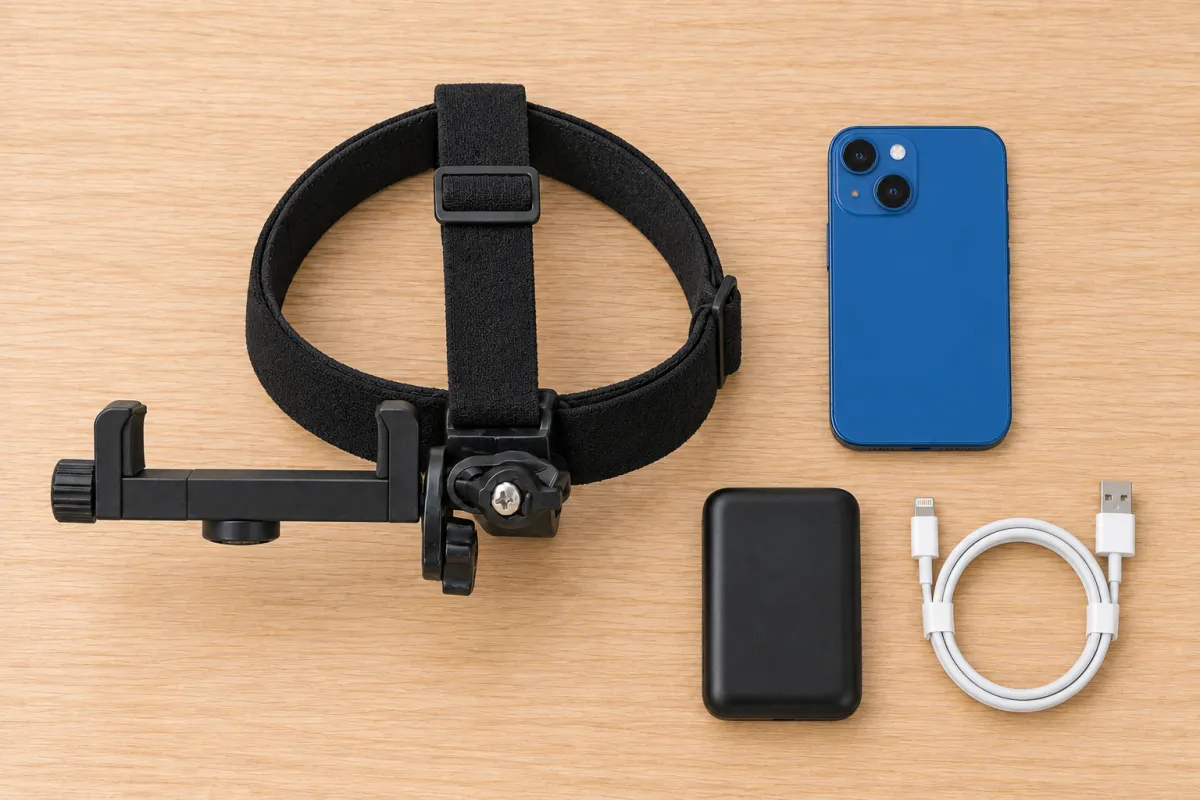
- iPhone, already set up by Colby. Phone passcode: 222222 (the number 2, six times).
- Head strap with the phone clip.
- Battery pack.
- Lightning charging cable.
2 · The app
Make your Minute Data account
Your company's invite codeTR9HCJHH
- Unlock the phone (222222), join Wi-Fi and open Minute Data.
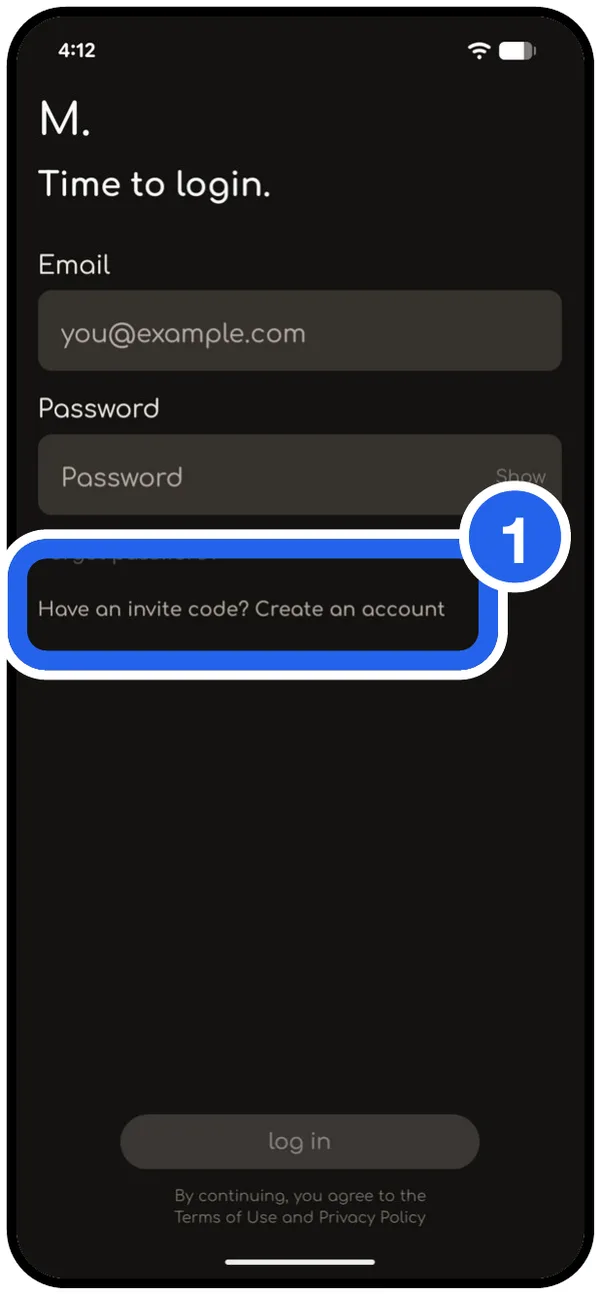
- ① On Time to login, tap Have an invite code? Create an account.
- Use your own personal email (Gmail, Yahoo, iCloud). Never a work email.
- Type the code Minute Data emails you, then the invite code above.
- Tap Allow for camera, motion and notifications.
- Every 2 weeks the app emails you a new code. Type it in.
3 · The strap
Put the phone on the strap
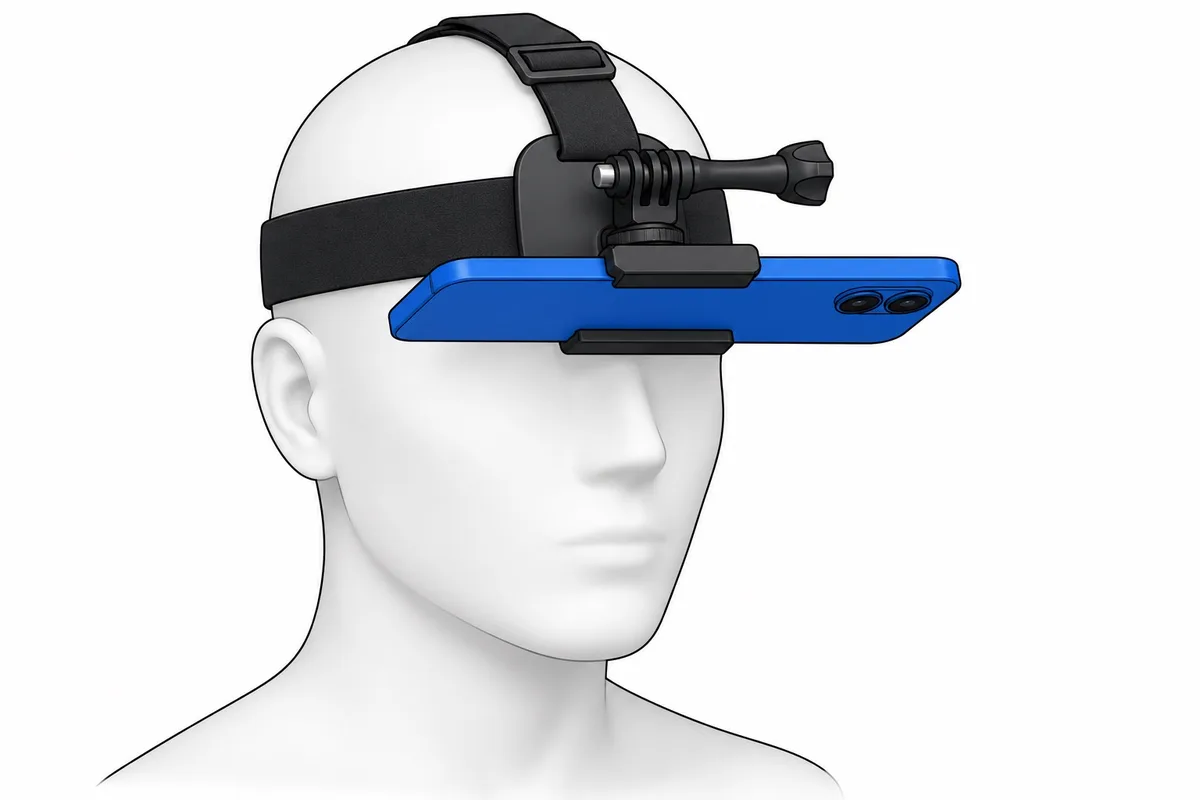
- Wipe the camera lenses.
- Open the clip's jaws and set the phone in sideways, screen up and cameras facing down.
- Center it. The jaws must not cover the cameras or press the buttons.
- Tug gently. It should not slide.
4 · The strap
Battery and strap
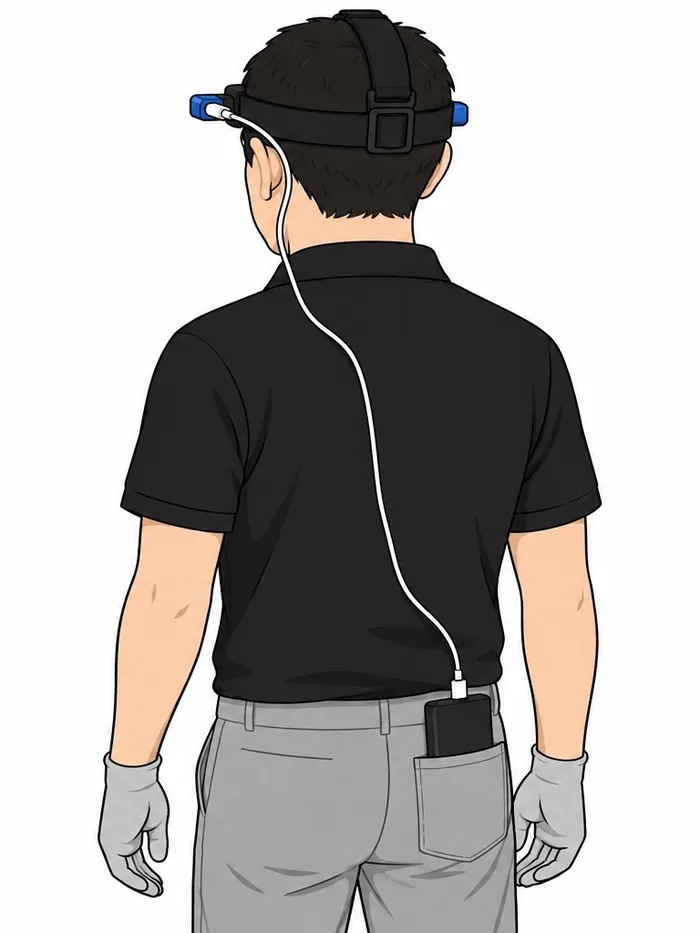
- Connect the battery pack with the Lightning cable.
- Put the pack in a pocket. Run the cable behind your ear.
- Wear the strap like a headband. The mount sits at the top of your forehead.
- Pull it snug. Shake your head and bend over. If it slides, tighten more.
5 · Camera angle
Aim at your hands
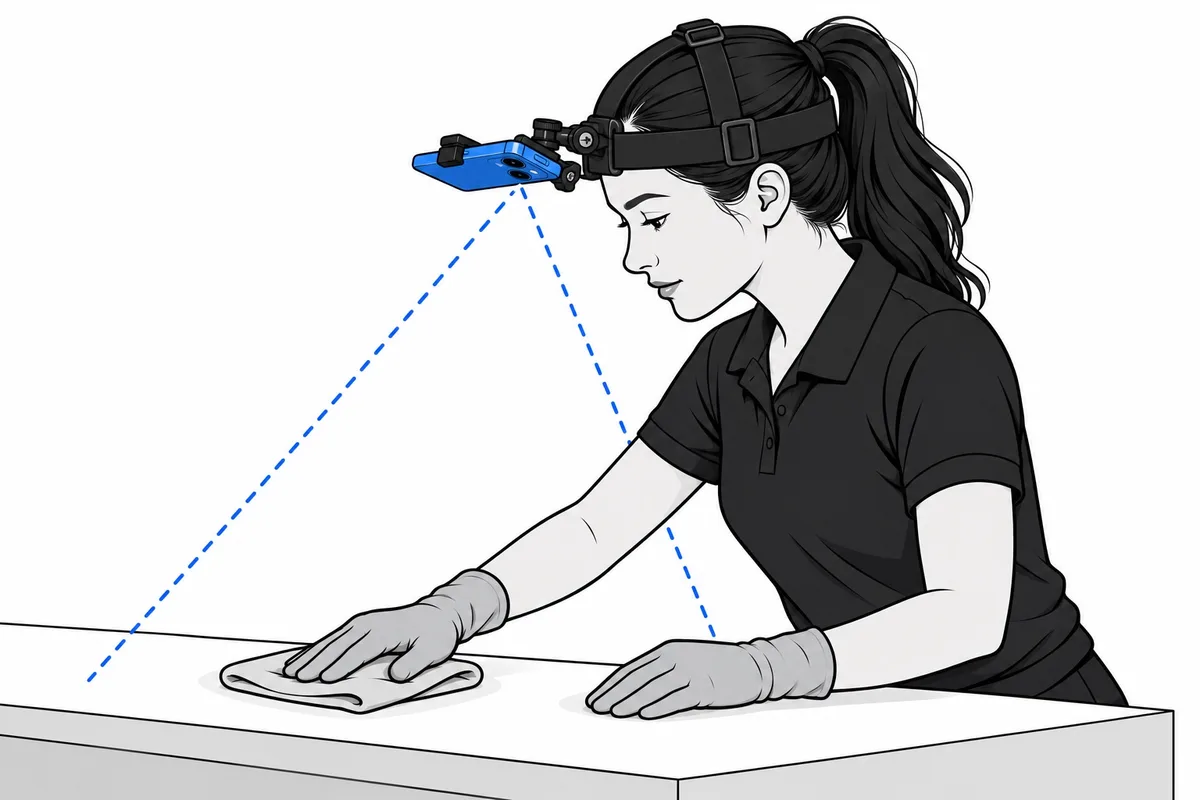
- Stand the way you work, hands out in front.
- The phone sticks straight out from your forehead, like the brim of a cap.
- Tip the front edge down until both hands are in the middle of the picture. Tighten the long side screw.
- A phone on the chest is not accepted.
- Record 10 seconds and watch it. Hands cut off: tip down. Only the floor: tip up. Dark: turn on the lights.
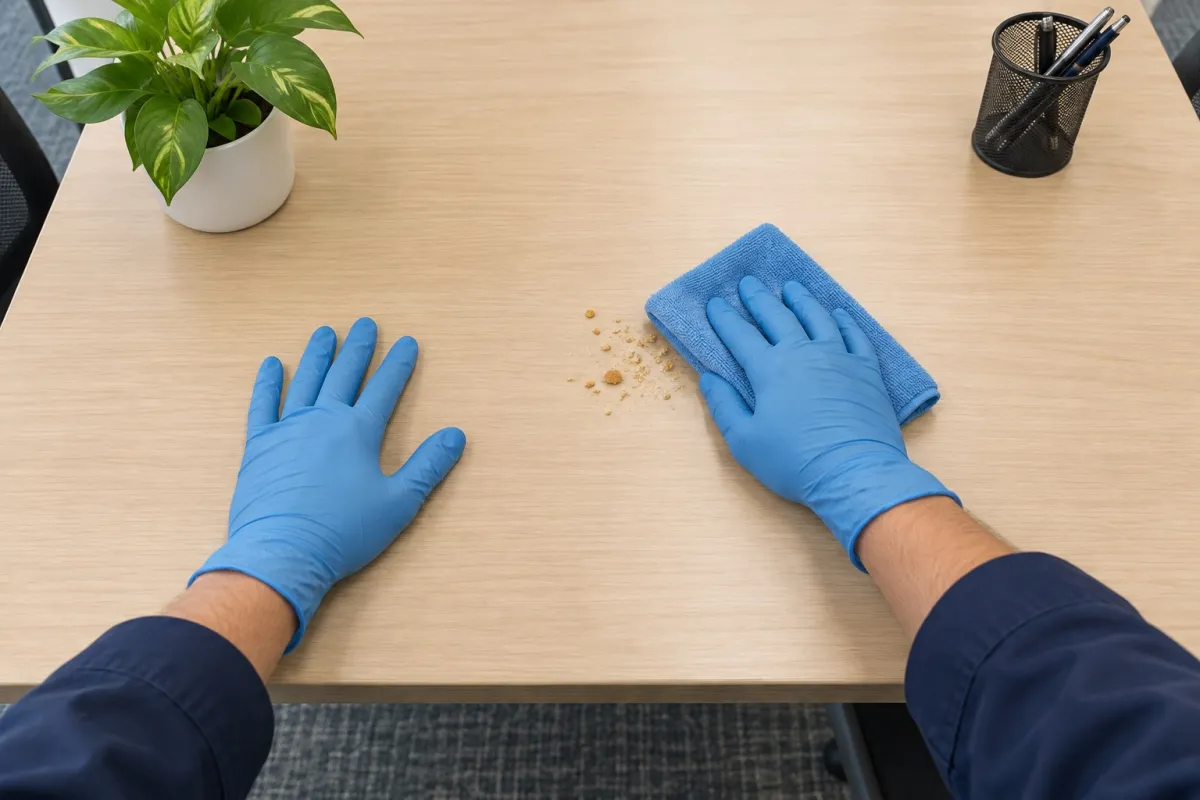 Your video should look like this: both hands in the middle of the picture, with the surface you clean in front of them.
6 · Your videos
Get paid for your videos
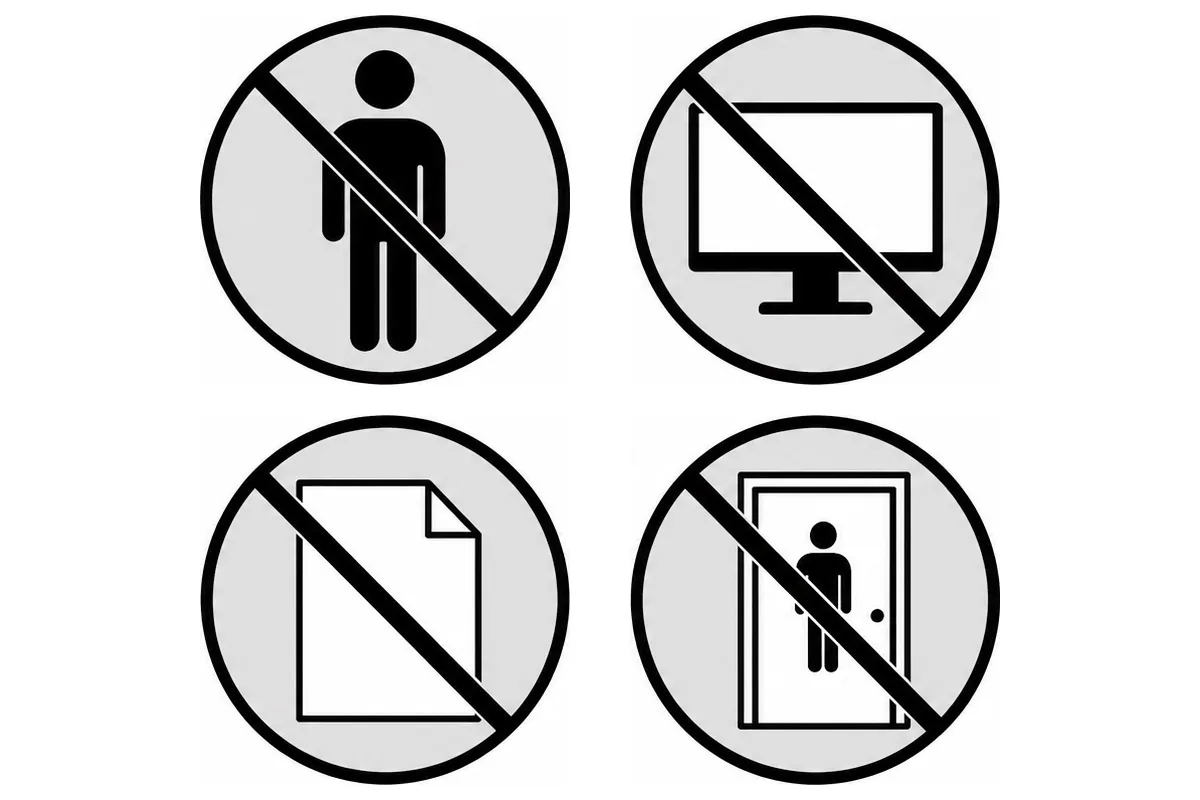
Keep out of the picture: other people, screens, papers on desks, restrooms with anyone inside.
Not paid: hands out of the picture, dark or blurry video, sitting still, pretend work.
After your shift, connect to Wi-Fi and upload. Keep the app open until it finishes. Colby checks each video within 24 to 48 hours.
Before every shift:
- Phone charged.
- Battery pack charged.
- Lens clean.
- Strap snug.
- Room lights on.
- Hands in the picture.
7 · On the phone
Start a recording
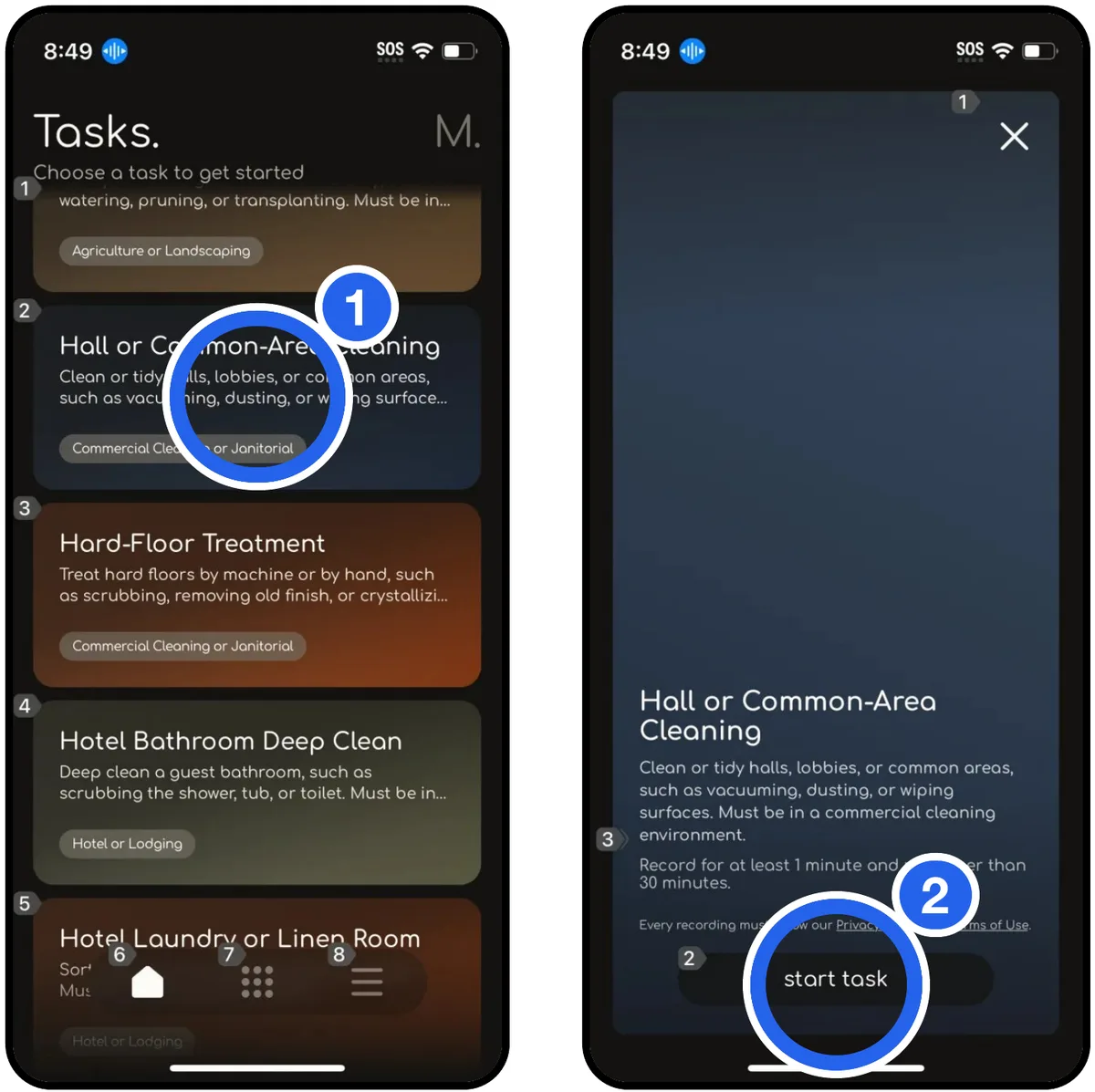
- ① Open Minute Data. On Tasks, tap your job, like Hall or Common-Area Cleaning. Cleaning jobs are marked Commercial Cleaning or Janitorial.
- ② Tap start task.
8 · On the phone
Record and stop
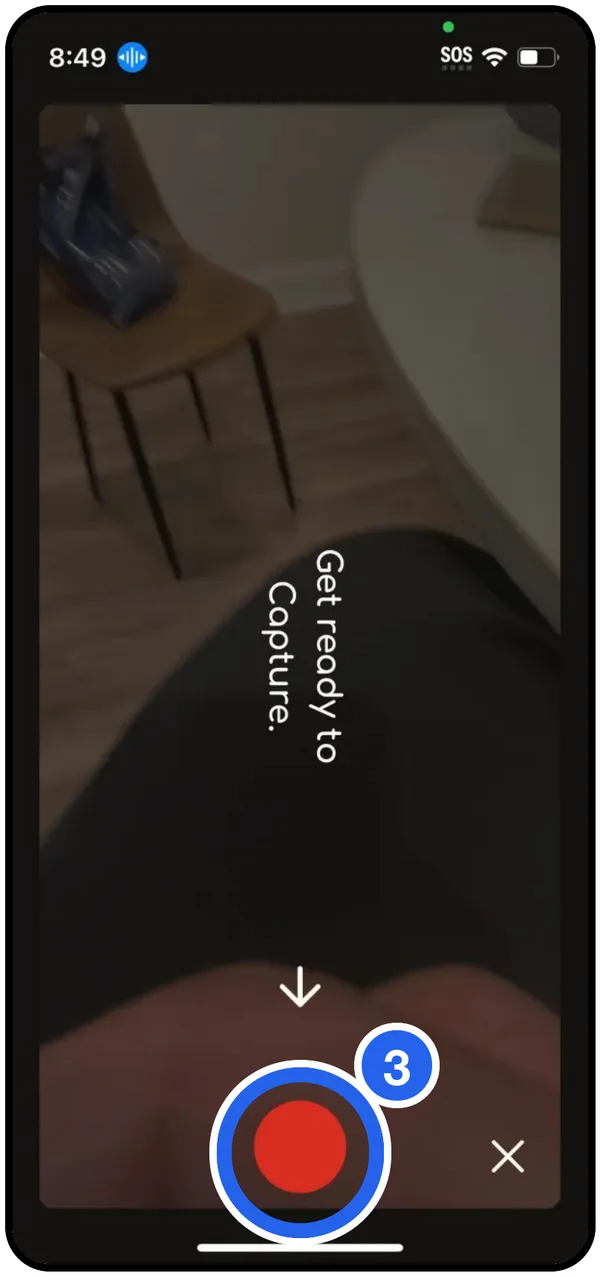
- ③ The camera opens. Tap the red button to start recording, then do the job.
- Tap the red button again to stop.
- One video per job, 1 to 30 minutes.
- Long job? Stop before 30 minutes and start a new video of the same task.
 Call Colby: (480) 542-7526
You are ready to record.
The pictures are illustrations. Your strap may look a little different.
