
 colby.ing
Camera program
First-night checklist
Use this on your first shift with the camera kit. Keep it with the kit. The checks take about 5 minutes before you start.
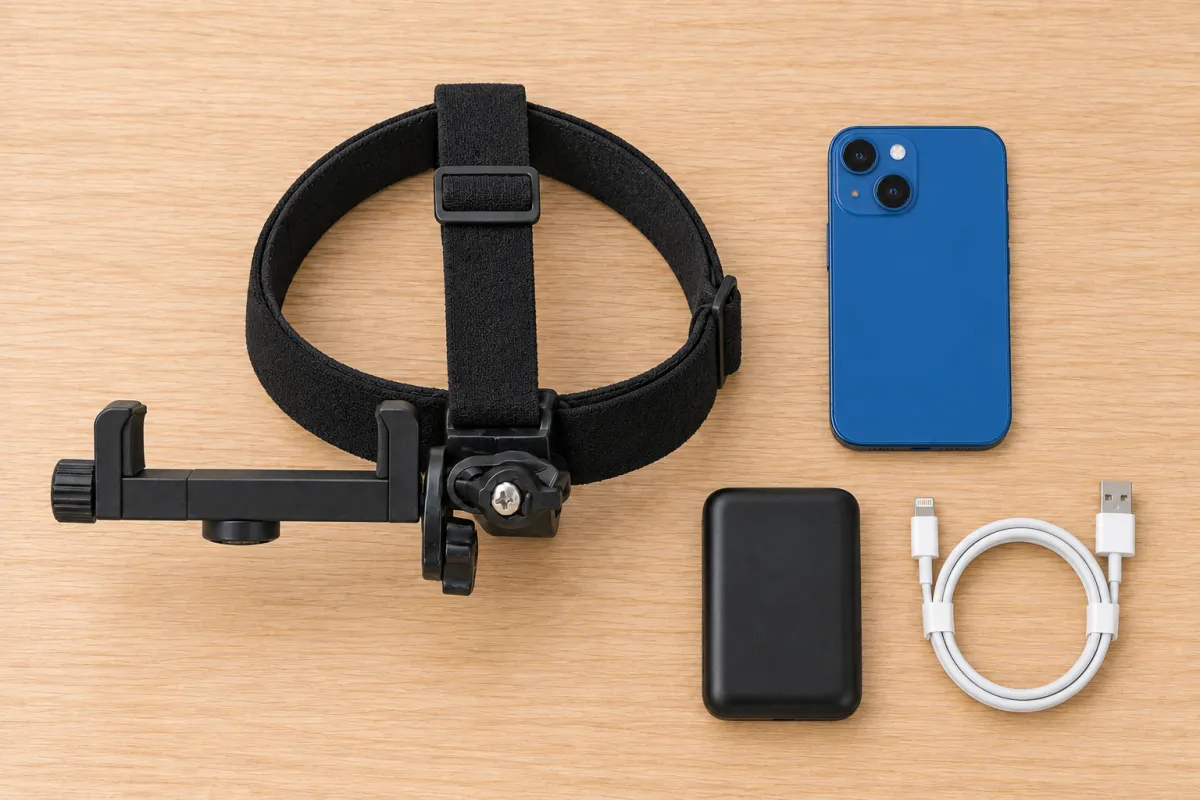
Before your shift
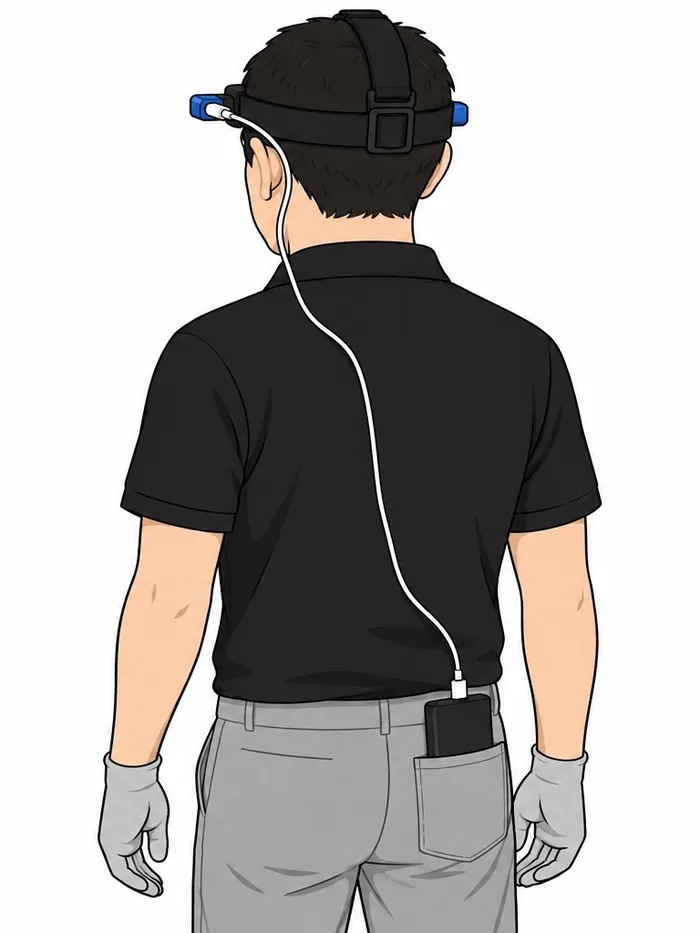
- Phone charged, and the battery pack charged.
- Lens wiped clean.
- The recording app is open and signed in.
- The strap is snug and the phone is tipped down at your hands.
- The tape on the joint lines up.
Do a test run first
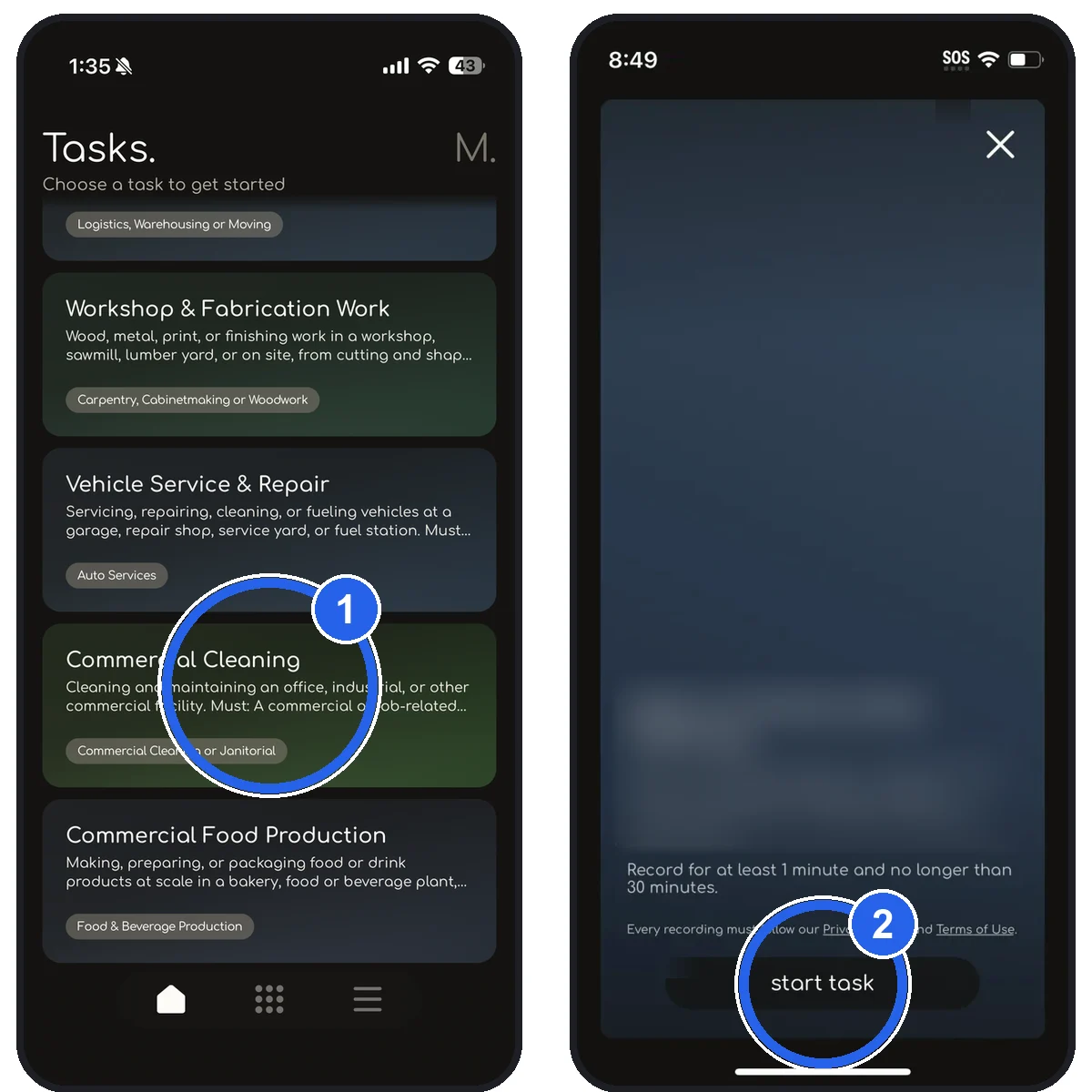
- Check that the picture is right side up, then put on the strap with the phone in the clip.
- Touch the screen to pick the task for your job, then touch Start task, then the red record button.
- Do a real job for 2 minutes.
- Touch the red button again to stop.
- Watch the video. Both hands should be in the picture the whole time.
While you record
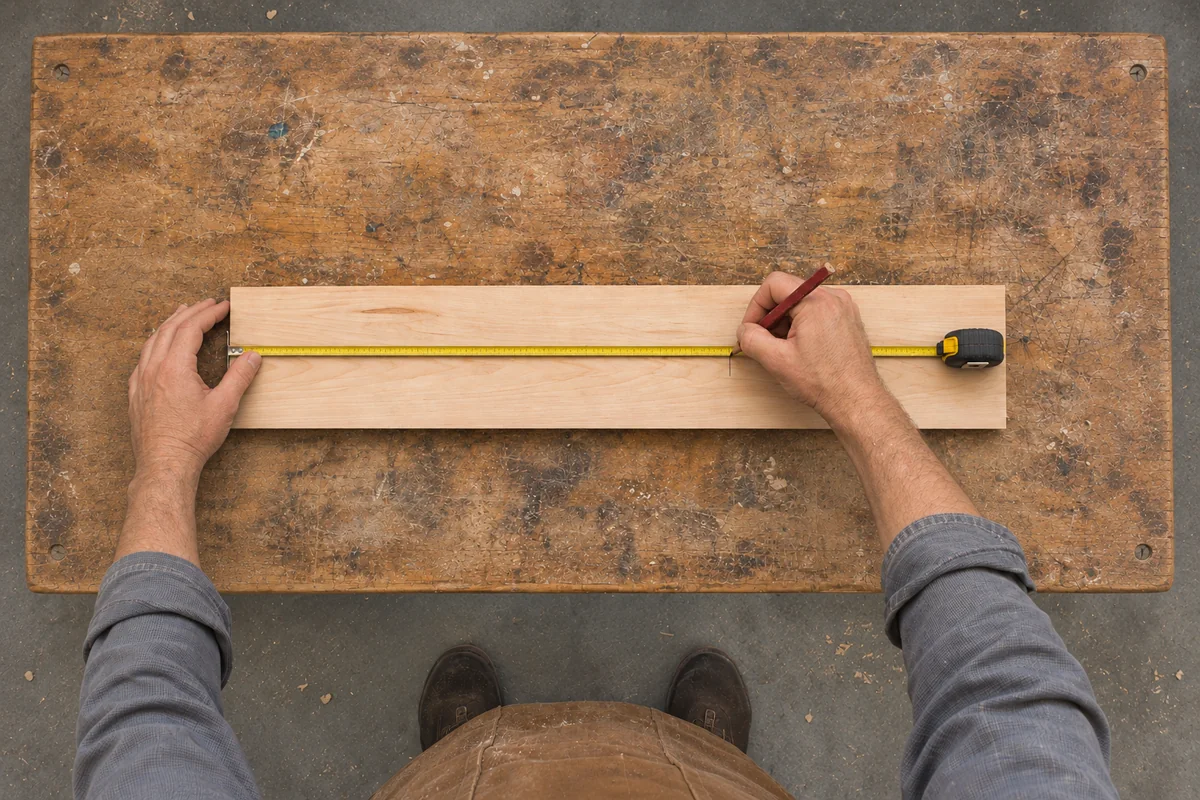
- Work at your normal pace, with both hands in the picture.
- Keep recording from one job to the next. Each video is 1 to 30 minutes. At 30 minutes, stop and start a new video.
- If the work changes to a different task, stop and pick that task.
- After you touch the phone, check that it still points at your hands.
- You see something private: pause.
After your shift
- Connect to Wi-Fi and upload your videos. Keep the app open until the uploads finish.
- Colby checks each video within 24 to 48 hours.
- Got feedback? Fix it before you record more.
If something doesn't work
- Write down what failed: the screen, the angle, the picture or the upload.
- Tell Your name or email support@getcolby.com before you record more.
Questions? Email support@getcolby.com.colby.ing